Every year, hundreds of preventable workplace injuries occur during equipment maintenance—many linked to improper machine shutdown or lack of documented lockout tagout procedures. A well-structured lockout tagout template form PDF isn’t just administrative paperwork; it’s a frontline defense against electrocution, amputation, and unexpected energization. The right template standardizes safety protocols, ensures regulatory compliance, and provides clear, step-by-step control over hazardous energy sources. But not all templates are created equal. This guide delivers practical, ready-to-use LOTO form templates in PDF format, explains how to personalize them, and highlights the real-world pitfalls that render even the most professional-looking forms ineffective.
Why a Lockout Tagout Template Form PDF Matters
A lockout tagout (LOTO) form isn’t optional—it’s mandated under OSHA 29 CFR 1910.147 for any servicing or maintenance involving hazardous energy. The form serves three critical functions: documentation, accountability, and verification.
Without a formal template, companies risk inconsistent procedures, skipped steps, and ambiguous records. Consider this scenario: a maintenance technician shuts down a conveyor system but fails to lock out the hydraulic sub-panel. Another worker, unaware of the maintenance, re-energizes the system. Result? A severe injury and a six-figure OSHA fine.
A standardized LOTO template form PDF eliminates guesswork. It: - Enforces a uniform process across shifts and teams - Provides legal proof of compliance during inspections - Clarifies roles (authorized vs. affected employees) - Tracks equipment-specific energy sources
Moreover, a PDF format ensures the form is universally accessible, printable, and easy to archive—critical for audits and incident investigations.
Key Components of an Effective LOTO Template
A powerful lockout tagout template form PDF doesn’t just list steps—it guides users through a logical, failsafe workflow. Here’s what every template should include:
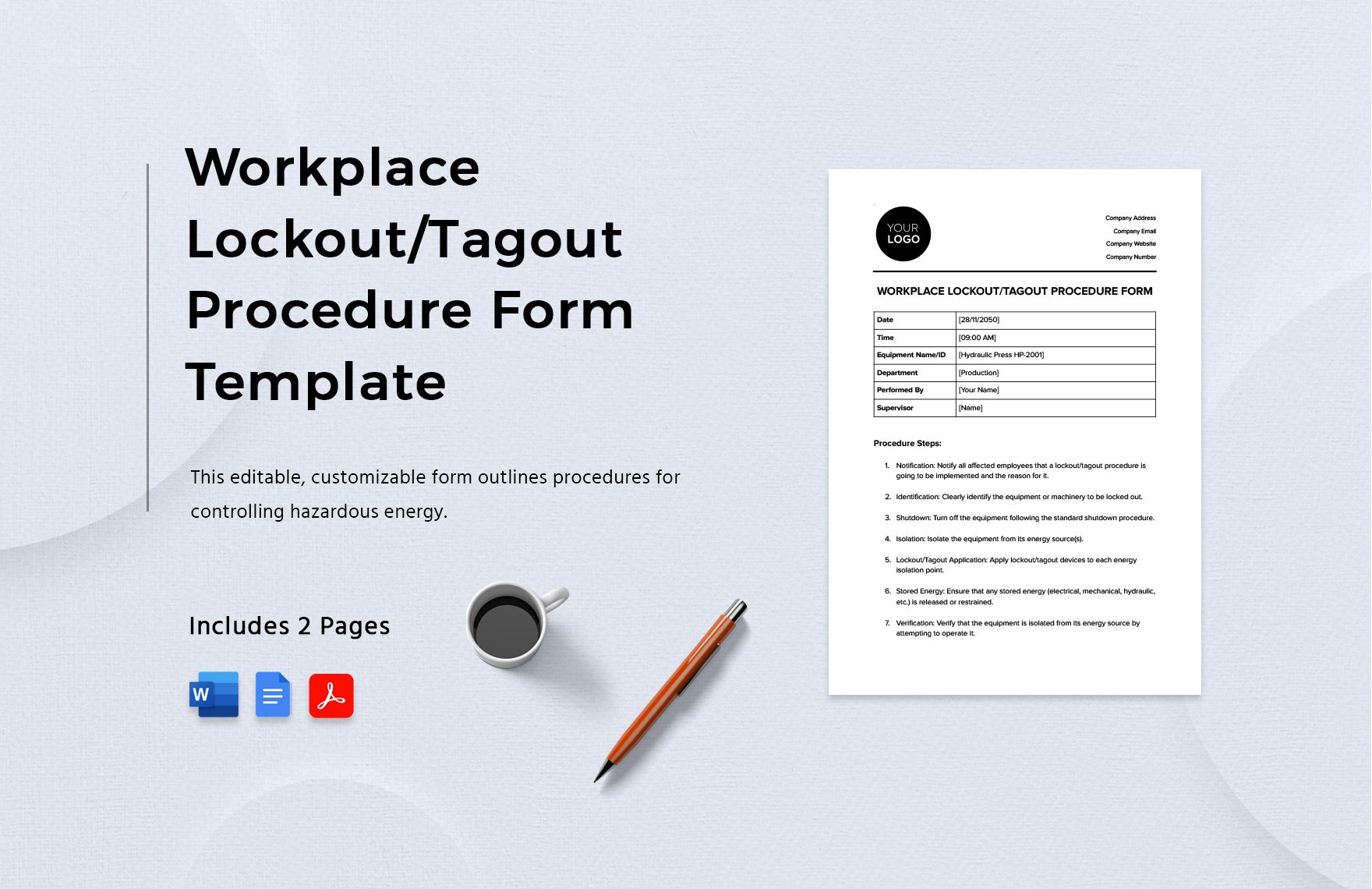
#### 1. Equipment Identification - Machine name, ID number, and location - Type of energy sources (electrical, pneumatic, hydraulic, thermal, etc.)
#### 2. Authorized Employee Information - Name, department, contact details - Signature field (or digital equivalent)
#### 3. Shutdown Sequence - Step-by-step shutdown instructions specific to the equipment - Includes isolation points (valves, breakers, disconnects)
#### 4. Lock and Tag Application - List of locks applied, with unique lock IDs - Tag details: reason for lockout, date, expected duration
#### 5. Verification of Isolation - Confirmation that zero energy is present (e.g., “Tested with multimeter”) - Sign-off by the authorized employee
#### 6. Clearance and Restart Authorization - Final inspection sign-off - Authorization to remove locks and restart
#### 7. Witness or Supervisor Verification (Optional) - Adds redundancy for high-risk tasks
Avoid generic templates that treat all machines the same. A CNC machine with multiple energy sources needs more detail than a standalone drill press. Customization is non-negotiable.
Where to Download Reliable Lockout Tagout Template Form PDFs
Free templates are widely available—but quality varies. Below are five trustworthy sources offering ready-to-use, OSHA-aligned LOTO form PDFs:
| Source | Features | Customization Level |
|---|---|---|
| OSHA.gov | Official compliance templates, minimal design | Low – requires internal editing |
| National Safety Council (NSC) | Industry-reviewed, includes checklist logic | Medium – editable fields |
| Grainger | Practical, visual-heavy forms with icons | High – fully editable PDFs |
| SafetyNow | LOTO-specific, includes digital workflow support | High – integrates with software |
| Template.net | Wide variety, user-rated options | Variable – vet for accuracy |
Pro tip: Always verify that any downloaded template includes space for energy source mapping. A blank diagram section where technicians can sketch isolation points dramatically improves clarity during complex maintenance.
Avoid templates with overly generic language like “turn off power.” Instead, seek ones that prompt for specifics: “Open circuit breaker #3B and verify with voltage tester.”
Common Mistakes When
Using LOTO PDF Templates
Even with a perfect template, execution failures derail compliance. Here are real-world mistakes teams make—and how to fix them:
Mistake 1: Using one template for all equipment A single form for a forklift and a production press ignores different energy profiles. Solution: Create equipment-specific versions or include an energy matrix addendum.
Mistake 2: Skipping the verification step Technicians check “verified” without testing. Solution: Require initials and a tool reference (e.g., “Tested with Fluke 87V”).
Mistake 3: Leaving forms blank or incomplete Incomplete records invalidate your LOTO program. Solution: Treat the form like a logbook—no exceptions.
Mistake 4: Storing PDFs only on a shared drive If the form isn’t accessible at point of use, compliance breaks down. Solution: Print laminated copies at equipment stations and sync with cloud backups.
Mistake 5: Not updating after equipment changes A modified machine with new controls needs an updated LOTO form. Solution: Review and revise forms quarterly or after any engineering change.
How to Customize Your LOTO Template for Maximum Impact
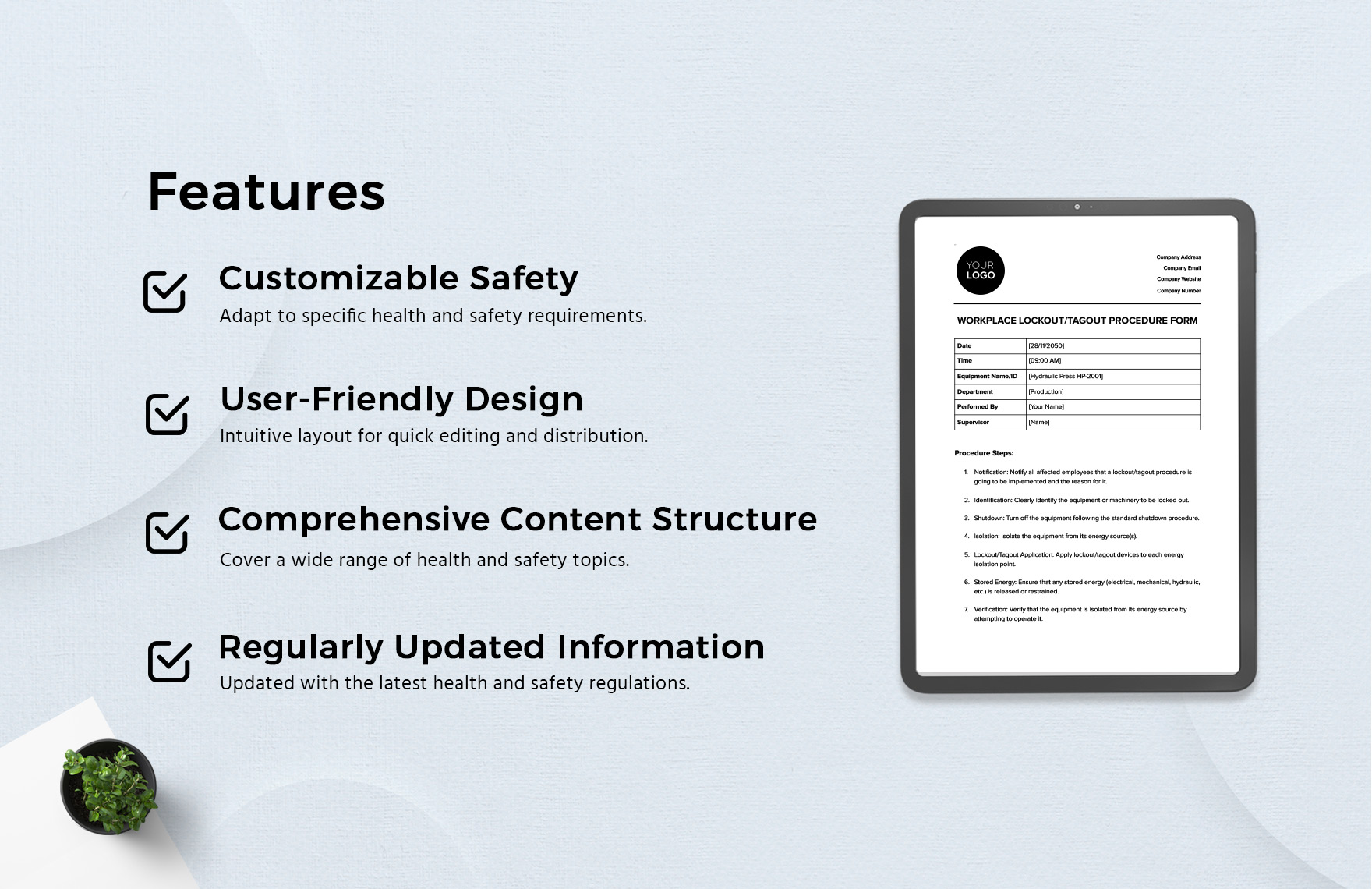
A downloadable PDF is a starting point—not the endpoint. Here’s how to tailor it:
- Add Equipment-Specific Details
- Include model numbers, lockout point diagrams, and energy flow maps. For instance, a boiler LOTO form might include a sketch of steam valves and pressure relief points.
- Integrate Site-Wide Standards
- Use your company logo, color-code lock types (e.g., red for electrical, blue for pneumatic), and align terminology with internal safety policies.
- Incorporate Digital Workflows
- Convert static PDFs into dynamic forms using tools like Adobe Fill & Sign or safety software platforms. This enables timestamped entries, photo uploads, and automated alerts.
- Translate for Multilingual Workforces
- In facilities with non-English speakers, provide dual-language versions. Misunderstood instructions are a top cause of LOTO failures.
- Field-Test Before Rollout
- Have maintenance teams use a draft form during a real shutdown. Gather feedback on clarity and usability.
Real-World Use Cases: LOTO Templates in Action
Case 1: Food Processing Plant A meatpacking facility uses a LOTO PDF form that includes a cold storage lockout section. The form requires verification of ammonia line isolation—a critical step often missed in generic templates. After implementation, near-misses dropped by 70%.
Case 2: Automotive Repair Shop A small garage adopted a simplified LOTO form for hydraulic lifts. The PDF includes a checkbox for “Park brake engaged” and “Support stands deployed.” Though basic, it closed a major liability gap.
Case 3: Chemical Manufacturing A plant with rotating shifts uses a digital LOTO form synced to a central dashboard. Supervisors receive alerts when a lockout exceeds the estimated duration. This real-time oversight prevented two potential restart incidents in six months.
These cases prove that effectiveness comes not from sophistication, but from relevance and consistency.
Best Practices for Maintaining LOTO Compliance
A template is only as good as its use. Follow these editorial-grade best practices:
- Train, then retrain: Conduct hands-on LOTO drills every six months. Use the actual PDF form during training.
- Audit randomly: Pull completed forms monthly and verify accuracy against maintenance logs.
- Store securely: Keep digital copies in a read-only folder with version control. Print archives should be filed by date and equipment ID.
- Integrate with Permit-to-Work Systems: Link LOTO forms to work permits to prevent unauthorized access.
- Review annually: Reassess all templates for changes in equipment, staff, or regulations.
Remember: OSHA doesn’t require a specific form format—but it does require proof of an effective energy control program. Your LOTO template form PDF is that proof.
Final Thoughts: Turn Paper Into Protection
A lockout tagout template form PDF is more than a document—it’s a behavior-shaping tool. When designed well and used consistently, it creates a culture where safety isn’t an afterthought, but a sequence of deliberate, recorded actions. Don’t settle for a generic download. Customize, test, and enforce. Because in high-risk environments, the difference between compliance and catastrophe often comes down to one filled-out form.
Start by downloading a baseline template from a trusted source, then refine it until it reflects your operations exactly. Print it, use it, audit it. Repeat.
Your team’s safety depends not on the PDF itself—but on the discipline it reinforces.
Frequently Asked Questions
What should a lockout tagout form include? A complete form must list equipment details, authorized personnel, shutdown steps, energy isolation points, verification method, and clearance authorization.
Are free LOTO template PDFs OSHA-compliant? They can be, but only if customized to your equipment and procedures. OSHA compliance depends on correct implementation, not the form’s source.
Can I edit a LOTO template PDF? Yes—use PDF editing tools to add equipment diagrams, company info, and specific lockout steps. Never use a form “as is” without review.
How long should I keep completed LOTO forms? OSHA requires documentation of periodic inspections. Retain completed forms for at least one year, or longer if part of an incident investigation.
Do all employees need to sign the LOTO form? Only authorized employees performing the lockout must sign. Affected employees may be notified but do not typically sign.
Can digital LOTO forms replace paper PDFs? Yes, if they provide equivalent documentation, security, and accessibility. Many companies now use mobile-friendly digital versions.
Is a LOTO form required for every maintenance task? Yes, whenever servicing exposes workers to hazardous energy. Minor tool changes or routine cleaning may be exempt under OSHA’s “minor servicing” exception—but only if risk is minimal and tools remain under operator control.
FAQ
What should you look for in Lockout Tagout Template Form PDF: Free Downloads & Best Practices? Focus on relevance, practical value, and how well the solution matches real user intent.
Is Lockout Tagout Template Form PDF: Free Downloads & Best Practices suitable for beginners? That depends on the workflow, but a clear step-by-step approach usually makes it easier to start.
How do you compare options around Lockout Tagout Template Form PDF: Free Downloads & Best Practices? Compare features, trust signals, limitations, pricing, and ease of implementation.
What mistakes should you avoid? Avoid generic choices, weak validation, and decisions based only on marketing claims.
What is the next best step? Shortlist the most relevant options, validate them quickly, and refine from real-world results.